

I’ve spent considerable time testing a dozen of the most popular LinkedIn automation tools because manual outreach is slow, draining, and often inconsistent. If you try to manually send dozens of invites, follow-ups, and messages, you quickly burn time and energy for mixed results.
Automation promises a smarter path: consistent follow-up, broader reach, and a steady pipeline as long as it’s done carefully.
In this round-up, I walk you through 12 top LinkedIn automation tools, comparing how they handle safety, personalization, ease of use, and integrations, so you can choose what fits your use case and goals.
TL;DR: 10 Second Summary
LinkedIn automation tools are platforms that let you automate connection requests, messaging, and follow-ups at scale. The best combine safety, personalization, and logic-driven automation.

For general users, the most balanced picks in 2025 are Expandi, Dripify, and HeyReach offering a mix of outreach power, scalability, and safety.
What LinkedIn Automation Tools Really Are
LinkedIn automation tools help you scale the parts of outreach and engagement that require consistency, not creativity. Instead of manually viewing profiles, sending invites, or tracking dozens of follow-ups, these tools handle repetitive actions while you stay focused on strategy, messaging, and real conversations.
The best platforms don’t try to “hack” LinkedIn. They streamline workflows professionals already do by hand. Used responsibly, they help you stay visible, reach more qualified prospects, and eliminate the busywork that usually limits your output.
What LinkedIn Automation Tools Can Automate
Here are the main workflows these tools typically support:
Profile visits and warm-up actions
Automated profile views, follows, and soft interactions help warm up your audience before outreach and increase familiarity.
Connection requests with custom messages
They send personalized invites at scale, keeping your pipeline full without manually watching your daily quotas.
Follow-up sequences
Multi-step messaging flows trigger when someone accepts a request or replies, removing the guesswork around timing and consistency.
Engagement automation
Some platforms automatically like posts, comment using approved templates, or interact with recent activity. This keeps you top of mind and builds familiarity before any outbound message.
Content creation and posting
More advanced tools help draft posts, repurpose existing content, or schedule updates across your network. This makes it easier to stay active without writing from scratch every day.
Inbox and reply management
Tools categorize replies by intent so you can prioritize high-interest leads quickly and keep the conversation moving.
Lead list building inside LinkedIn
Automated scraping or capture from searches, groups, and Sales Navigator filters speeds up list creation without manual exporting.
Campaign scheduling and safety controls
They distribute actions throughout the day to mimic natural behavior, helping keep your account safely within LinkedIn’s limits.
What to Look For in a LinkedIn Automation Tool
When I evaluate LinkedIn automation tools, I focus on:
- Safety — Does the tool mimic human behavior, manage rate limits or warm-ups, and avoid detection?
- Personalization — Can it send personalized messages or dynamic placeholders so outreach feels human?
- Targeting accuracy — Does it let me target the right audience, filter by criteria, enrich leads?
- Automation logic — Does it support workflows: sequences, follow-ups, conditions (if-then), inbox management?
- Integrations — Does it connect with CRM, email tools, exports, or other stacks for smooth workflow?
- Transparent pricing & scalability — Are costs clear? Can it scale with more seats/accounts if needed?
A Quick Overview of the Best LinkedIn Automation Tools for 2025
| Tool | Safety | Automation | Integrations | Best For |
| Expandi | High (cloud-based, IP & throttling) | Full outreach sequences + follow-ups | CRM / CSV / integrations | Safe 24/7 outreach at scale |
| Dripify | Medium–High (cloud, warm-up) | Drip campaigns, inbox & leads | CSV, basic export | Solo users / small teams wanting simplicity |
| LinkedHelper | Medium (desktop/extension) | Custom workflows, bulk actions | Manual exports | Users needing custom control |
| MeetAlfred | Medium (cloud / semi-cloud) | Multi-channel automation, email + LinkedIn | CRM/email integration | Users wanting cross-channel flows |
| Zopto | Medium (cloud) | Bulk messaging / outreach sequences | CRM / LinkedIn Sales Navigator | B2B teams needing volume outreach |
| We-Connect | Medium (cloud) | Connection + messaging automation | CSV / export | Budget-conscious outreach starters |
| Octopus CRM | Basic–Medium (extension) | Bulk messages, profile visits, simple funnels | Zapier, HubSpot, CSV | Budget-friendly simple outreach |
| Waalaxy | Medium (cloud / extension hybrid) | Multi-step campaigns, automation + follow-ups | CRM/email integrations | Mixed outreach + lead generation workflows |
| Dux-Soup | Basic–Medium (extension) | Profile visits, simple automation & scraping | CSV export | Very basic lead generation / outreach |
| Salesflow | Medium–High (cloud, safety-focused) | Outreach automation with safety & compliance logic | CRM / email workflows | Users serious about compliance + outreach |
| LaGrowthMachine | Medium (cloud multi-channel) | Multi-channel (LinkedIn + email + others) automation sequences | CRM / external integrations | Growth-oriented outreach + automation stacks |
| HeyReach | High (cloud, multi-sender rotation) | Multi-account outreach, campaigns, inbox, sender rotation | CRM, webhooks, integrations | Agencies / teams scaling outbound outreach |
Top 12 LinkedIn Automation Tools That I Use and Trust for 2025 and Beyond
Let’s now understand each platform in detail, learning its description, features, pros and cons, and pricing options.
Dripify
Best for: Solo users or small teams wanting simple but effective automation and lead management.
Dripify feels like a balanced automation tool that focuses on simplicity without giving up essential functionality. When I used it, I appreciated how quickly I could spin up campaigns — it’s very plug-and-play. The drip campaign logic lets me build timed sequences where each step fires only after a previous action succeeds or fails. That keeps outreach feeling natural rather than robotic.
It also includes lead scraping and a fully integrated “smart inbox,” which centralizes all incoming messages. That helped me avoid losing replies across multiple threads inside LinkedIn’s own inbox. What makes Dripify appealing is how accessible it feels — no overwhelming menus, no heavy setup. For individual users or small teams who want reliable automation without too many knobs to turn, it hits the sweet spot.

Key features
- Drip campaigns — stage outreach over time to avoid spammy behavior and nurture leads.
- Smart inbox — gather replies and messages in one place for easy follow-up.
- Lead scraping + export to CSV — collect potential leads for external use or CRM import.
- Warm-up scheduling + throttling — gives safer automation flow, especially for newer accounts.
- Campaign performance stats — track which sequences work, acceptance rates, and ROI.
Pros
- Easier to set up than complex tools.
- Cloud-based with reasonable safety measures.
- Useful lead-data export simplifies CRM workflows.
Cons
- Feature set is simpler than advanced automation tools.
- Scaling for larger teams can get costly.
Pricing
Free plan: No
Free trial: Yes (trial offered)
Monthly: $39 / $59 / $79 (depending on plan)
Discounts: 35% on annaul plan
Pricing model: per account
Curious how Dripify really performed? I break everything down in the full Dripify review.
Expandi
Best for: Professionals needing reliable, scalable outreach without heavy account risk.
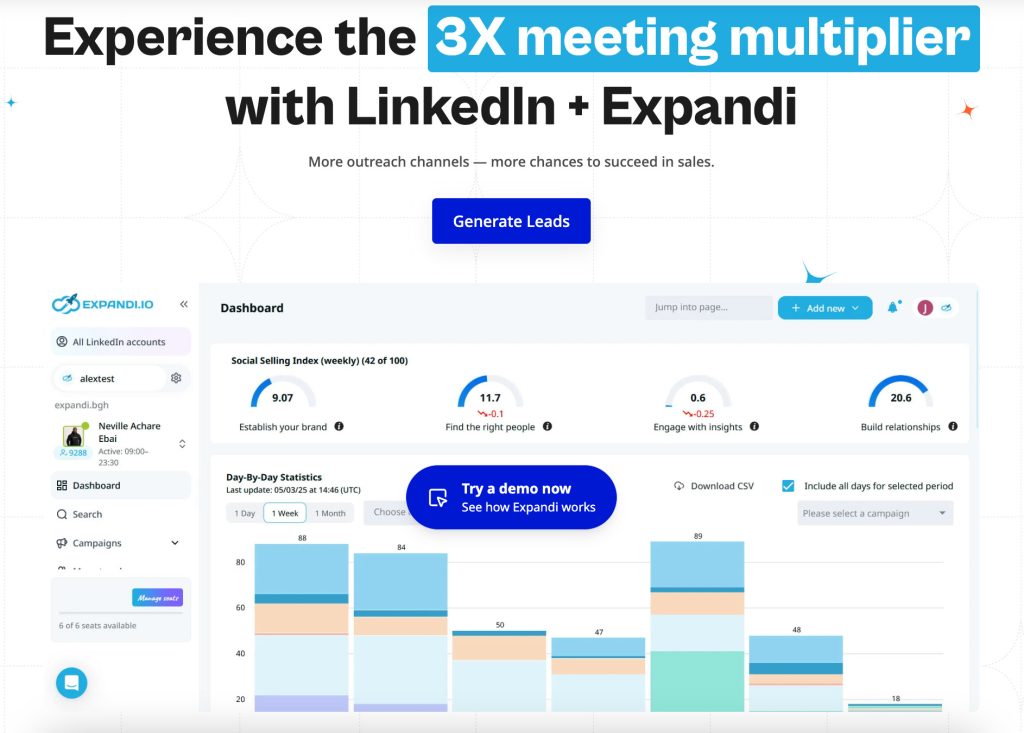
When I tested Expandi, what stood out immediately was how seriously it takes safety. It’s one of the few LinkedIn automation platforms built entirely in the cloud, so everything runs on dedicated IPs that mimic natural activity. Instead of firing actions in bursts, it spreads them out across the day with randomized delays. I found this particularly useful when managing long-running campaigns that needed to stay under LinkedIn’s radar.
The campaign builder lets me combine connection requests, profile visits, trigger-based follow-ups, and messaging into a single sequence. It’s straightforward, but powerful enough for multi-step nurturing. The tool constantly monitors pending invites and withdraws them automatically, which keeps your account safer and prevents LinkedIn limits from triggering. For people who want automation that feels almost hands-free once set up, Expandi is one of the strongest options I’ve used.
Key features
- Smart sequences (invites, follow-ups) — let me build nurture flows automatically.
- IP rotation and throttling — helps avoid detection by mimicking normal user behavior.
- Auto-withdraw pending invites — avoids LinkedIn flagging by cleaning up old requests.
- Profile visits, follows, likes automation — expands reach beyond just messages.
- Analytics dashboard — lets me track acceptance rates, replies, and measure campaign success.
Pros
- Cloud-based safety reduces risk of bans.
- High automation with minimal manual intervention.
- Balanced between automation power and personalization features.
- Good analytics help refine campaigns.
Cons
- Higher monthly cost may be steep for solo users.
- Aggressive automation can still risk account restrictions if misused.
Pricing
Free plan: No
Free trial: 7 days
Monthly: $99 per seat
Discounts: None published
Pricing model: per seat
Curious how Expandi really performed? I break everything down in the full Expandi review.
LinkedHelper
Best for: Users who want granular control and custom workflows over automation behavior.
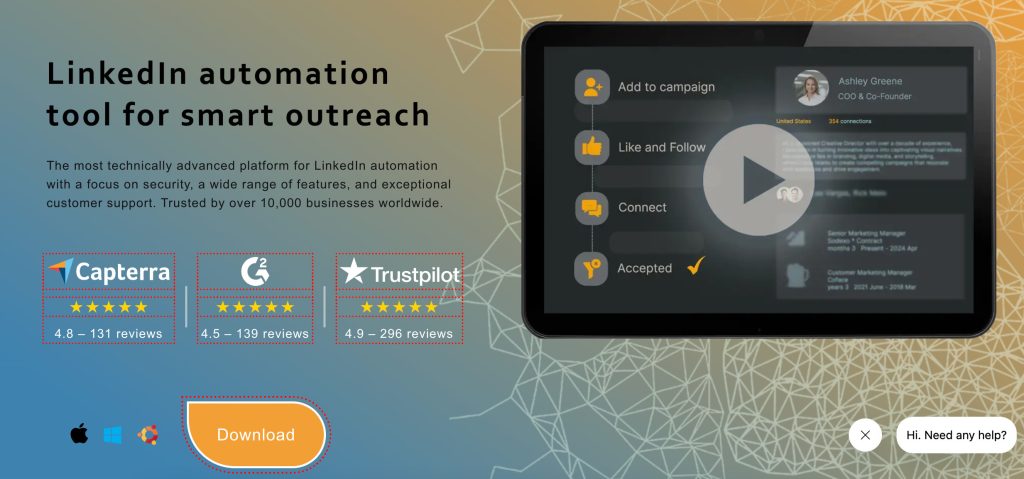
LinkedHelper is the tool I turn to when I want absolute control over how automation behaves. Unlike cloud platforms, it runs locally and gives you the ability to craft custom workflows with granular steps. I can mix automated actions with manual approval points and define exactly when and how each action should trigger.
This flexibility is powerful, but it requires discipline. Because actions execute from your browser environment, safety depends heavily on how thoughtfully you configure limits, timing, and workflows. Still, if you’re a hands-on user who loves fine-tuning, LinkedHelper gives you capabilities that cloud tools often hide in the background. It’s essentially the “power user” automation toolkit.
Key features
- Custom workflow builder — build step-by-step flows tailored to your outreach style.
- Bulk actions (invites, visits, messages) — speed up outreach when needed.
- Manual-trigger mechanisms — gives you control over when automation runs.
- Compatibility with advanced targeting (e.g. Sales Navigator) — helps refine leads.
- Option to export data — feed leads into external systems or CRMs.
Pros
- Highly flexible — good for niche or specialized outreach.
- Gives fine-grained control over automation to minimize risk or tailor behavior.
- Allows a “semi-manual” approach when automation isn’t desirable.
Cons
- Less safe than cloud-based tools if misconfigured.
- Requires more hands-on effort than cloud platforms.
Pricing
Free plan: No
Free trial: Available
Monthly: From $15 for lower-tier plan on a monthly license
Discounts: up to 45% for yearly licenses
Pricing model: per license
MeetAlfred
Best for: Users or small teams who want to combine LinkedIn automation with email outreach.
MeetAlfred shines when you want to go beyond LinkedIn and run multi-channel outreach. When testing it, I liked how I could pair LinkedIn actions with coordinated email follow-ups in a single sequence. It behaves less like a LinkedIn bot and more like a lightweight outbound orchestration platform.
Its sequencing engine lets you design flows where a LinkedIn visit triggers an email, or where a message is sent only if a connection request gets accepted. You can also run campaigns directly on Sales Navigator. For people who want coordinated outreach instead of platform-isolated tasks, MeetAlfred offers a versatile bridge between LinkedIn and email.

Key features
- Multi-channel campaigns (LinkedIn + email) — expands outreach beyond one channel.
- Cross-channel sequencing — follow-up messages automatically trigger across platforms.
- Basic safety features (throttling, pacing) — helps keep outreach under control.
- CRM and email integrations — useful to centralize outreach and follow-ups.
- Automation scheduling — run workflows at optimal times for better engagement.
Pros
- Versatile multi-channel automation boosts reach.
- Decent personalization and sequencing.
- Good for teams combining LinkedIn and email outreach.
Cons
- More complex setup than pure LinkedIn tools.
- Multi-channel increases risk if not properly managed.
Pricing
Free plan: No
Free trial: Yes (trial period available)
Monthly: Pricing varies depending on number of channels/accounts
Discounts: None published
Pricing model: per account / seat
Curious how MeetAlfred really performed? I break everything down in the full MeetAlfred review.
Zopto
Best for: Teams needing to send high volume, targeted outreach at scale.
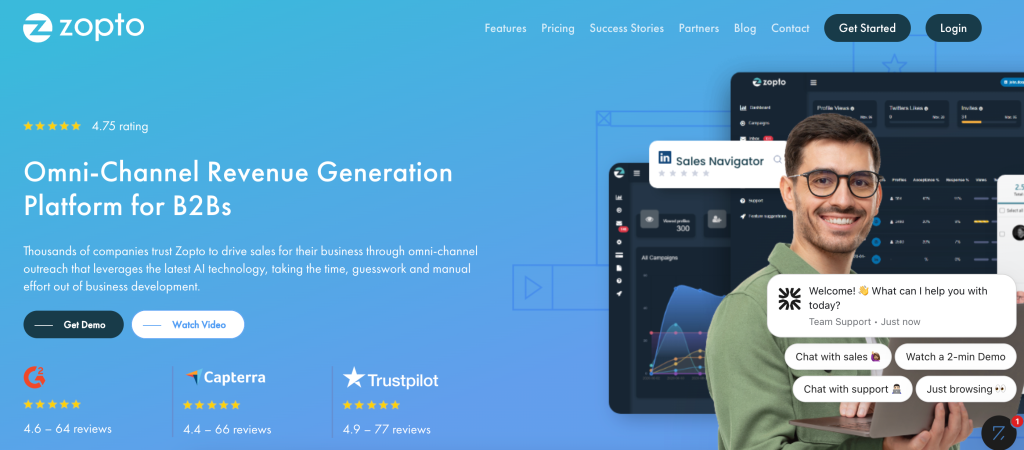
Zopto is geared toward teams that need to push volume. When I used it, I was impressed by the breadth of targeting options — especially for Sales Navigator users. It’s clearly optimized for high-throughput outbound motions rather than subtle nurturing.
Zopto’s automation sequences handle messaging, viewing, following, endorsements, and structured campaigns. Performance analytics are very detailed, so it’s easy to track conversion rates across each step. The whole platform feels like it was designed for B2B lead gen teams that need to hit large prospect lists consistently. If you rely heavily on scale rather than ultra-personalized outreach, Zopto delivers.
Key features
- Bulk connection and messaging automation — send many invites/messages at once.
- Targeted outreach using filters and criteria — helps reach the right audience.
- Support for LinkedIn Sales Navigator — better targeting for B2B leads.
- Campaign scheduling and automation logic — manage sequences over time.
- Analytics and performance tracking — monitor acceptance and response rates.
Pros
- Powerful for large-scale outbound campaigns.
- Good targeting tools for B2B.
- Automation logic helps manage follow-ups smoothly.
Cons
- High volume outreach carries higher risk of LinkedIn limits or bans.
- Less emphasis on personalization compared to lighter tools.
Pricing
Free plan: No
Free trial: Not clearly published
Monthly: Varies depending on plan and number of accounts
Discounts: None published
Pricing model: per account
We-Connect
Best for: Users or small teams on a budget who want to begin automating LinkedIn outreach.
Zopto is geared toward teams that need to push volume. When I used it, I was impressed by the breadth of targeting options — especially for Sales Navigator users. It’s clearly optimized for high-throughput outbound motions rather than subtle nurturing.
Zopto’s automation sequences handle messaging, viewing, following, endorsements, and structured campaigns. Performance analytics are very detailed, so it’s easy to track conversion rates across each step. The whole platform feels like it was designed for B2B lead gen teams that need to hit large prospect lists consistently. If you rely heavily on scale rather than ultra-personalized outreach, Zopto delivers.

Key features
- Automated connection requests and messages — basic outreach automation.
- Schedule automation and pacing control — helps avoid suspicious spikes.
- CSV export of leads — for later manual follow-up or CRM import.
- Basic workflow automation — simple sequences for outreach and follow-ups.
- Lightweight interface — easier to use for beginners.
Pros
- Affordable entry point for automation.
- Simple enough for users new to LinkedIn automation.
- Basic automation gets core tasks done without complexity.
Cons
- Limited feature set compared to advanced tools.
- Less reliable safety features — higher risk if usage isn’t conservative.
Pricing
Free plan: No
Free trial: 14-day trial, no credit card required
Monthly: Lower-cost tiers depending on plan
Discounts: None published
Pricing model: per account
Octopus CRM
Best for: Budget-conscious users needing basic automation and CRM connectivity.
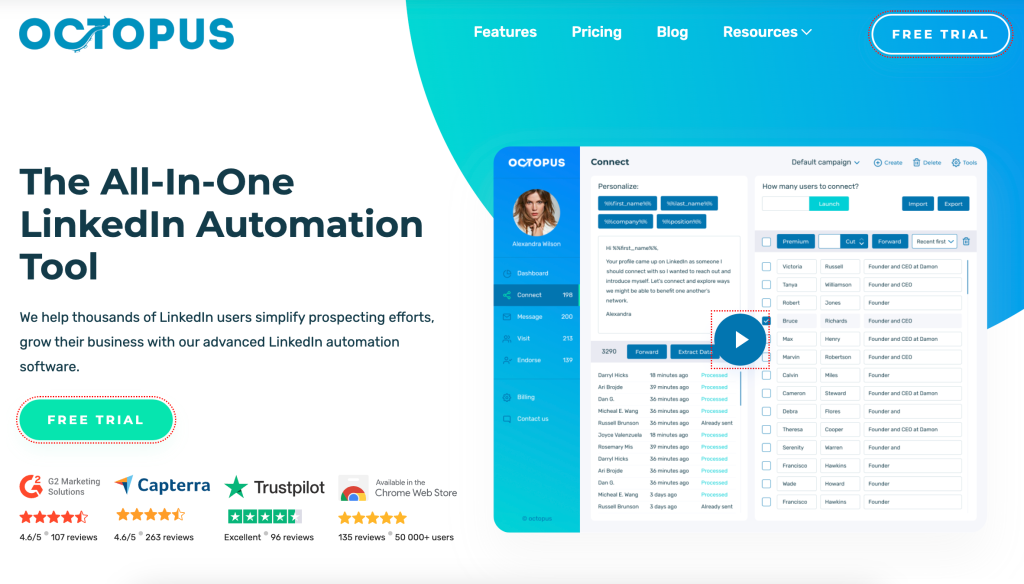
Octopus CRM is one of the simplest automation tools I’ve used, but that’s also its appeal. If all you need is bulk connection sending, profile visits, and straightforward message sequences, Octopus handles it cleanly. It also integrates surprisingly well with CRMs like HubSpot and Zapier despite its minimal interface.
I found it particularly useful when I needed to run low-effort outreach campaigns or do quick contact warm-ups. It’s not built for complex workflows or large-scale sequences, but for lightweight, budget-friendly automation tasks, it’s hard to beat.
Key features
- Bulk connection requests and messages — scale up outreach cheaply.
- Profile visits automation — helps increase visibility before outreach.
- Simple outreach funnels — manage basic sequences of invites and follow-ups.
- Zapier / HubSpot integration — integrates leads into broader CRM workflows.
- Dashboard for campaign monitoring — track outreach volume and basic metrics.
Pros
- Very affordable compared with most automation tools.
- Easy to use — minimal learning curve.
- Integrates with CRM tools and workflows for lead management.
Cons
- Safety features are basic — higher risk if overused.
- Limited customization and fewer advanced automation features.
Pricing
Free plan: No
Free trial: Not clearly published
Monthly: $6.99 / $9.99 / $14.99 depending on plan; annual unlimited plan at equivalent of $24.90/month
Discounts: None published
Pricing model: per account
Waalaxy
Best for: Users wanting a balance of outreach automation, lead generation, and follow-up workflows.
Waalaxy feels like the crossover point between basic automation and modern sequence builders. When I tested it, I liked how quickly I could create multi-step sequences that blended connection requests, follow-ups, and profile visits. It has a very visual, intuitive campaign builder that’s beginner-friendly.
Waalaxy also offers lead collection features and integrates with various email tools and CRMs. While not as safety-focused as dedicated cloud platforms, it gives you a flexible workflow engine without feeling overwhelming. Great for users who want to go beyond entry-level tools without diving into agency-grade setups.

Key features
- Multi-step campaigns with automation + follow-ups — manage outreach over time.
- Mix of connection, messaging, profile visits — covers whole outreach spectrum.
- Integration with CRM/email — helps centralize outreach data.
- Lead generation + export capabilities — gather and reuse leads externally.
- Simple UI suitable for users with limited technical experience.
Pros
- Solid balance between features and usability.
- Good for users wanting more than basic automation without complexity.
- Useful for ongoing outreach and lead-gen workflows.
Cons
- Not as robust or safe as cloud-first tools with strong compliance focus.
- Scaling large campaigns manually can get messy.
Pricing
Free plan: No
Free trial: Available
Monthly: Tiered pricing depending on how many invitations you plan to send. Starting from $39 for 300 invitations.
Discounts: 50% for a yearly license.
Pricing model: per account
Dux-Soup
Best for: Users needing simple, lightweight automation for basic LinkedIn tasks.
Dux-Soup is what I reach for when I only need light automation, profile visiting, or simple engagement workflows. It operates as a Chrome extension, which makes it easy to install and run basic tasks immediately.
Its strengths lie in passive lead-generation activities: visiting profiles, liking posts, viewing lists, and exporting leads. Because it doesn’t push heavy automation by default, it’s a good tool for beginners dipping their toes into LinkedIn data collection or basic nurture actions. Think of it as a helper tool rather than a full outbound engine.

Key features
- Automated profile visits — helps with passive visibility.
- Simple connection or message automation — minimal outreach support.
- Export leads to CSV — manually process later if needed.
- Lightweight extension — easy to install and run.
- Basic settings for pacing to reduce risk.
Pros
- Easy to set up and run.
- Good for lightweight, occasional automation.
- Cheap entry point for basic outreach needs.
Cons
- Limited functionality compared to modern automation platforms.
- Higher risk of detection if overused due to simpler safety measures.
Pricing
Free plan: No (free limited trial version may exist)
Free trial: Limited trial version
Monthly: Entry-level pricing depending on license type
Discounts: None published
Pricing model: per license
Curious how Dux-Soup really performed? I break everything down in the full Dux-Soup review.
Salesflow
Best for: Users who care as much about compliance and safety as about automation efficiency.
Salesflow takes a very safety-first approach, which stood out to me right away. Every action uses throttling, pacing, and human-like variations. It prioritizes account health over volume — something I appreciated when running long outreach cycles where consistency mattered more than speed.
The interface and campaign building tools feel modern and clean, with strong support for teams that want good analytics and CRM connectivity. If you value predictability and safe scaling, Salesflow’s conservative automation philosophy is one of its biggest advantages.

Key features
- Smart throttling & randomized delays — helps avoid detection by spreading out actions.
- Human-like pacing and warm-up logic — mimics realistic LinkedIn behavior over time.
- Automation sequences — manage connection, follow-up, and message flows.
- Integration with CRM/email workflows — supports external outreach stacks.
- Compliance-oriented design — intended to reduce risk of account flags.
Pros
- Strong safety focus reduces risk of bans or restrictions.
- Automation supports realistic outreach pacing.
- Good for users who value long-term account health over volume.
Cons
- Less aggressive automation power compared to some high-volume tools.
- May require more careful setup and monitoring to be effective.
Pricing
Free plan: No
Free trial: Typically available (trial offered)
Monthly: Pricing varies depending on account and features
Discounts: None published
Pricing model: per account / seat
LaGrowthMachine
Best for: Users or teams looking for a broader growth stack beyond LinkedIn — combining outreach, email, and automation logic.
LaGrowthMachine is one of the most advanced multi-channel automation systems I’ve tried. It lets me combine LinkedIn, email, and other channels into dynamic, branching sequences that behave more like a full growth engine than a simple LinkedIn tool.
Its enrichment layer is excellent — I can pull additional contact details, verify data, and personalize outreach across channels. For growth teams, founders, or agencies building real multistep outbound systems, LaGrowthMachine offers capabilities far beyond most tools in this category.

Key features
- Multi-channel outreach (LinkedIn + email + others) — enables omnichannel campaigning.
- Sequence automation with conditions and branching — supports complex workflows.
- Lead tracking and enrichment — better targeting and follow-up information.
- CRM and external integrations — simplifies lead management and tracking.
- Automation scheduling and pacing controls — helps maintain compliance and avoid detection.
Pros
- Powerful multi-channel capabilities boost outreach beyond LinkedIn.
- Flexible workflows fit complex outreach strategies.
- Integration support helps manage leads and data in one place.
Cons
- More expensive and complex than single-channel tools.
- Risk of over-automation if sequences span multiple channels without oversight.
Pricing
Free plan: No
Free trial: 14-day trial available
Monthly: Varies based on features and number of channels/accounts
Discounts: None published
Pricing model: per account / seat
HeyReach
Best for: Agencies, growth teams, or sales teams needing to run outreach across multiple LinkedIn accounts simultaneously.
HeyReach is the best tool I’ve found for multi-account LinkedIn outreach. When I tested it, the standout feature was “sender rotation” — the ability to distribute campaign tasks across multiple LinkedIn accounts, reducing risk and massively increasing total throughput.
The unified inbox makes it surprisingly easy to manage replies across all accounts, which is essential for agencies or outbound teams. Campaign workflows feel clean, and the system is built around safety management (pacing, rotating, sequencing). If you manage client outreach or multiple profiles at once, HeyReach is easily one of the strongest platforms available.

Key features
- Multi-sender support & account rotation — spreads activity across several accounts to avoid hitting per-account limits.
- Unified inbox (all accounts) — simplifies message and reply management across senders.
- Campaign builder with branching logic — allows complex outreach sequences with conditions based on responses or lack thereof.
- Lead imports from external lists (CSV, enrichment tools) — streamlines targeting and onboarding of new leads.
- Integration with CRM/webhooks/automation stacks — good for agencies needing customized workflows.
Pros
- Ideal for large-scale outreach through multiple accounts.
- Reduces risk per account by distributing message load.
- Centralized inbox keeps replies and follow-ups manageable.
- Scales well for agencies or teams managing multiple campaigns.
Cons
- Requires careful management to avoid reputational risk across multiple accounts.
- For individuals, using multiple accounts may be overkill and complicate workflow.
Pricing
Free plan: No
Free trial: 30 days (trial period recorded for first account/sender)
Monthly: starting at $79 per sender (or $59/month per sender when using 10+ senders). Agency and Unlimited plans are cheaper per sender.
Discounts: 15% on quarterly and 25% on annual plans
Pricing model: per sender (LinkedIn account)
Curious how HeyReach really performed? I break everything down in the full HeyReach review.
Takeaways
After reviewing all 12 tools, I see there’s no one-size-fits-all solution — but you can pick based on what you need. Want safe, consistent 24/7 outreach? Go for Expandi or HeyReach.
Prefer a lighter, simpler tool for occasional outreach or small-scale campaigns? Dripify, Octopus CRM, or Dux-Soup could be enough. Need multi-channel growth or complex workflows? LaGrowthMachine or MeetAlfred work well.
What matters most is this: automate with caution, personalize outreach, respect reasonable limits, and treat your LinkedIn presence like a long-term asset. Used well, automation can save you hours and multiply your reach — but only if you stay responsible.
FAQ about LinkedIn automation tools
Is LinkedIn automation allowed?
LinkedIn’s terms discourage unauthorized bots and mass automation, but many third-party tools keep outreach within limits. It’s more about how you automate than whether you do. Safety depends on how carefully you set volume, pacing, and personalization.
What’s the safest way to automate LinkedIn outreach?
Use tools that throttle activity, introduce random delays, warm up accounts slowly, rotate IPs or senders, and spread actions over time. Treat sequences as human workflows — not mass spam.
Are cloud-based automation tools safer than browser extensions?
Generally yes — cloud tools often manage IP rotation, throttling and pacing more consistently. Browser extensions rely on local execution and are easier to detect if misused.
How many connection requests or messages per day are considered safe?
There’s no official number, but many compliance guides suggest limiting to modest volumes — often around 15–30 connection requests or messages per day — especially for newer accounts.
Does personalization improve acceptance and reply rates?
Yes — personalized messages, dynamic placeholders, and thoughtful follow-ups increase engagement and reduce the risk of being flagged as spam.
Will LinkedIn ban my account for using automation tools?
Possibly — especially if you ignore safe practices (high volume, rapid-fire actions, generic spam). But if you automate carefully, with human-like pacing and personalization, risk is lower.
Can automation replace manual outreach completely?
No — automation works best as a support tool. Manual engagement is still crucial for meaningful relationships and high-quality outreach.
How do warm-up schedules help protect my account?
They gradually increase activity over time, avoiding sudden spikes that trigger detection. This gradual approach helps mimic consistent human usage and builds account “trust.”
Yes — combined with automation, Sales Navigator’s targeting capabilities can significantly improve lead quality and outreach efficiency.
Can automation tools detect when someone replies?
Many do — some have unified inboxes or reply detection logic, which helps automate follow-ups or pause automation when someone responds.
How do automated follow-ups affect response rates?
When done with moderation and personalization, they can increase reply rates by reminding prospects politely. But over-automation or generic follow-ups can annoy leads or trigger spam flags.
What’s the difference between scraping and automation?
Automation focuses on actions (invites, messages, visits), while scraping collects data from profiles. Scraping is often riskier — many tools or behaviors used for scraping may violate platform policies and increase ban risk, especially if done at scale.


